What a Custom Ai Can Do

A custom AI assistant built on Azure can:

This isn’t a chatbot with canned responses—it’s a trained model that understands your business.

How It Works

Build Your AI Model
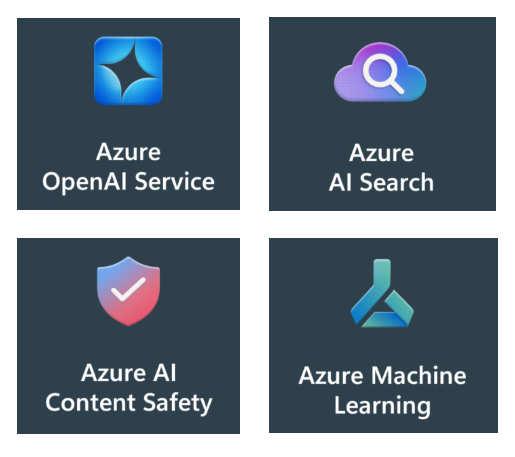
Start by choosing a platform like Azure Cognitive Services or Azure Machine Learning.
These tools let you create intelligent systems that can understand and respond to natural language—perfect for automating knowledge transfer, upskilling workers, technical queries, or internal operations.
It’s important to note that your data stays within your Azure environment. Microsoft does not use your data to train its models, and you control access through Azure’s enterprise-grade identity and security tools.
Train your Azure Ai with Your Knowledge
Upload your internal documents—product manuals, SOPs, FAQs, and service logs—so the AI learns your business language and processes.
Use Large Object storage to load the content and then incorporate Azure Search to organize and index this content, making it easy for the AI to retrieve accurate answers.
If you set up an Azure account there are different storage types that can be used for the content. All content is stored securely in your Azure tenant. You can apply role-based access controls (RBAC) to ensure only authorized users and services can access sensitive information.
Deploy It Where It’s Needed
Now this is the fun part that makes it all worth it. Make your AI available on your website, mobile app, or inside tools your team already uses—like your chat bots or knowledge bases.
This means technicians, sales reps, and support staff can get instant answers without switching platforms.
Monitor & Improve Continuously
Once out in the wild there are insights to be gained. Track how the AI is performing—what questions it’s answering well, and where it needs improvement.
Refine its responses using feedback and usage data, and apply more machine learning to ensure fairness, accuracy, and transparency.
But you are in control of your data because logs and feedback data are stored in your environment. You can anonymize user data, set retention policies, and audit access to ensure compliance with your internal policies.

Usage Cost Breakdown

Let’s say you have a team of 50 people using the AI regularly—asking technical questions, getting onboarding help, or supporting customers.

AI Usage Costs (Azure OpenAI Service)

Even with heavy usage, $1,000 in AI spend goes a long way.

Development Costs

Building and training a custom AI assistant typically includes:

Task Estimated Cost
Initial setup & Azure configuration $2,000–$5,000
Data preparation & training $5,000–$10,000
Integration with internal tools $3,000–$7,000
Testing & refinement $2,000–$4,000
Total Development Cost $12,000–$26,000 (one-time)

This cost can vary based on complexity, number of data sources, and integration needs. But once built, the system is scalable and low-cost to operate.

What does all of this effort with Azure Ai get your business?

You Don't Have To Go It Alone. Let's Talk About What You Are Trying To Do.

The conversation is free but the knowledge gained can be invaluable to moving your business forward. We can work through your goals and assist with how to design, train, and deploy a custom solution that fits your business.

Enjoyed this insight?

Explore how Letter B turns the same challenge into an operational win.

Start a conversation
Frequently asked questions

Common questions about ai & rfid enablement

Your own documents, knowledge base, process notes, and product data — scoped and governed. The assistant is grounded on what makes your company specific, not the public web.

Get in touch

Make AI and RFID operational.

We connect scanners, readers, ERPs, and cloud data into a single reliable flow — so compliance and knowledge transfer just work.

Learn more about our AI Readiness Assessment