
An older application still manages your production schedule. A custom database tracks inventory. Your quoting team relies on software that has been running for years.
These systems may keep daily operations moving. But changes have become difficult, connecting newer applications takes more effort, and fewer people understand how everything works. Replacing the software sounds risky when production depends on it. Keeping it unchanged creates risks of its own.
Legacy software modernization lets manufacturers address both problems without automatically replacing every application. The work is deciding what should change, what can stay, and how to improve things without putting critical operations at risk.
The short answer
Manufacturers can modernize legacy software without disrupting production by changing one application or integration at a time. Map your dependencies, rank systems by risk, start with a small project, test with real scenarios, plan a controlled cutover with a tested rollback, and expand in phases. Many systems need better integration or selective rebuilding, not full replacement.
What does legacy software modernization mean for manufacturers?
Legacy software modernization is the process of updating, improving or replacing older applications so they can keep supporting current business needs. For a manufacturer, that might mean updating a production scheduling application, connecting an older inventory database to ERP, replacing spreadsheet-based workflows or rebuilding part of a custom application.
It does not always require a new system. An existing application may still do its core job reliably, while its infrastructure is outdated, its integration options are limited or it can't support new business requirements. Depending on the case, modernization might improve the code, update the underlying platform, build integrations or replace selected components. The goal is business-critical software that is more reliable, easier to maintain and more useful.
So the question for a manufacturer isn't simply whether the software is old. It's whether the system can keep supporting production, operations and future improvements.
What are the signs your manufacturing software needs modernization?
Older applications don't necessarily need immediate replacement. These five problems suggest that relying on them could create operational or financial risk.
1. Critical applications depend on unsupported technology
A production application may still run on an outdated operating system, database or software framework. When that technology no longer receives security updates or dependable vendor support, the application is harder to maintain. A failure is also harder to fix if replacement components, documentation or technical expertise aren't available.
2. Employees rely on manual workarounds
People export data, update spreadsheets, copy information between applications or send files for approval. These workarounds usually start because the software can't support a newer workflow. Over time they become part of daily operations, along with the extra effort and the chances for mistakes.
3. Existing systems can't connect with newer applications
A legacy production application may work well on its own but struggle to exchange information with a modern ERP, inventory or reporting system. The result is disconnected data and less visibility across the operation. Supported integrations, or targeted improvements to the existing application, can close those gaps.
4. Small changes have become difficult or expensive
Adding a product configuration, changing an approval process or updating a report shouldn't take extensive troubleshooting. When an application depends on outdated code, undocumented logic or specialized knowledge, even minor changes get complicated. The issue is no longer the software's age. It's the growing difficulty of maintaining and improving it.
5. System reliability is affecting daily operations
Recurring failures, slow processing and unexpected outages can disrupt production schedules, order fulfillment and reporting. When an unreliable application supports a critical workflow, its condition has become a business concern.
None of these signs means every system must be replaced. They show where a structured assessment is needed.
Should you modernize, integrate or replace?
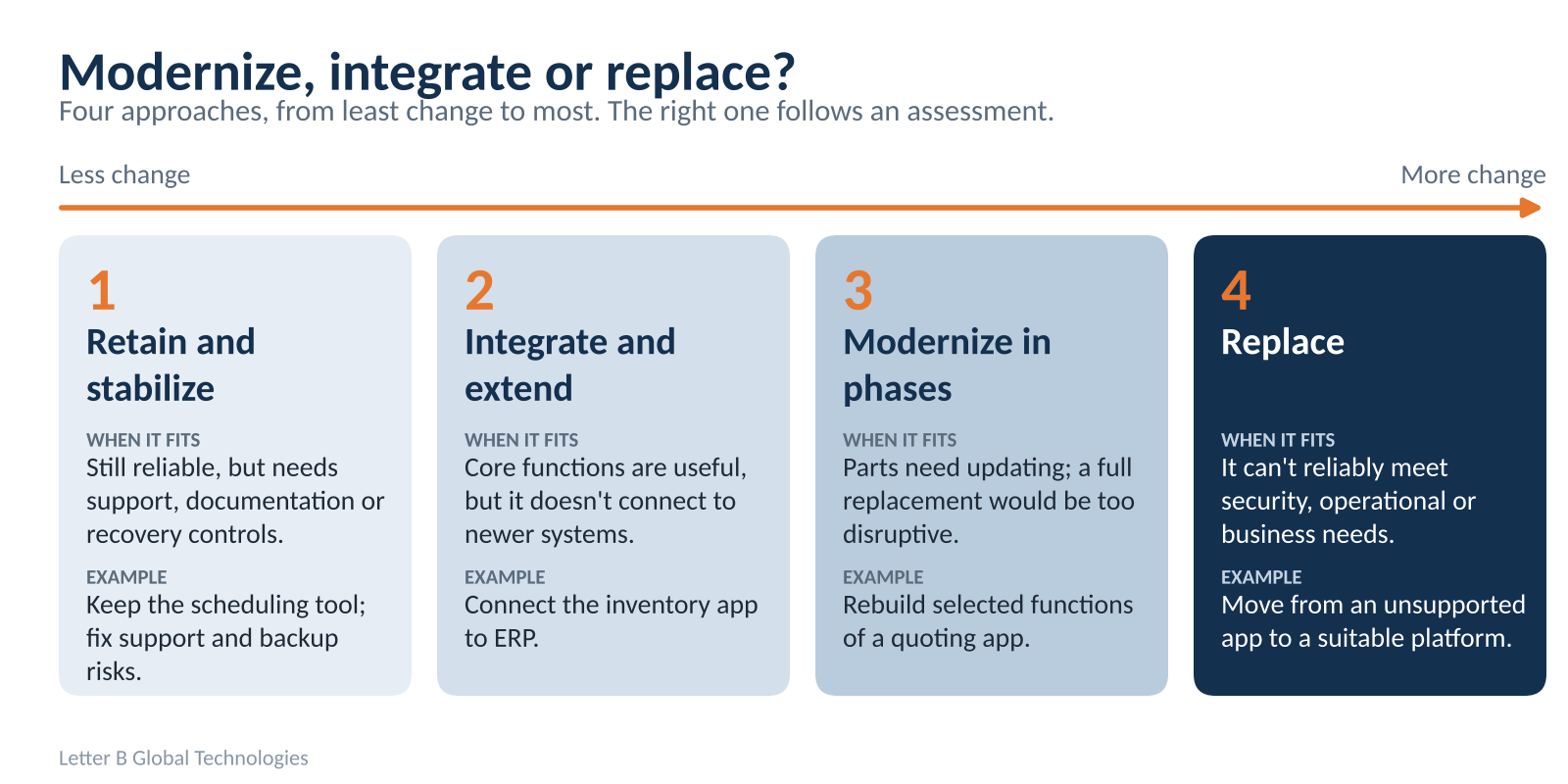
One of the biggest mistakes a manufacturer can make is assuming that modernization means replacing the whole application. The right approach depends on the software's condition, business value, integration capabilities and operational risk. Some applications need better connections. Others need changes to their code or infrastructure. A smaller number need full replacement.
| Approach | When it makes sense | Manufacturing example |
|---|---|---|
| Retain and stabilize | The application still performs reliably but needs stronger support, documentation or recovery controls | Keeping a production scheduling tool while addressing support and backup risks |
| Integrate and extend | Core functionality remains useful, but the system doesn't connect with newer applications | Connecting an existing inventory application to ERP |
| Modernize in phases | Parts of the software need updating, but replacing everything would create unnecessary disruption | Rebuilding selected functions of a custom quoting application |
| Replace | The system can't reliably meet current security, operational or business requirements | Moving from an unsupported application to a suitable replacement platform |
Take a manufacturer that uses an older custom application to calculate complex product configurations. If the calculation logic is still valuable, rebuilding the whole application may not be the best first step. It may be more practical to keep the useful business logic and improve the interface, data management and connections to other systems.
But if the software is unreliable, unsupported and unable to meet essential requirements, replacement may be necessary. Either way, the decision should follow an assessment, not a preference for newer technology.
How do you modernize legacy software without disrupting production?
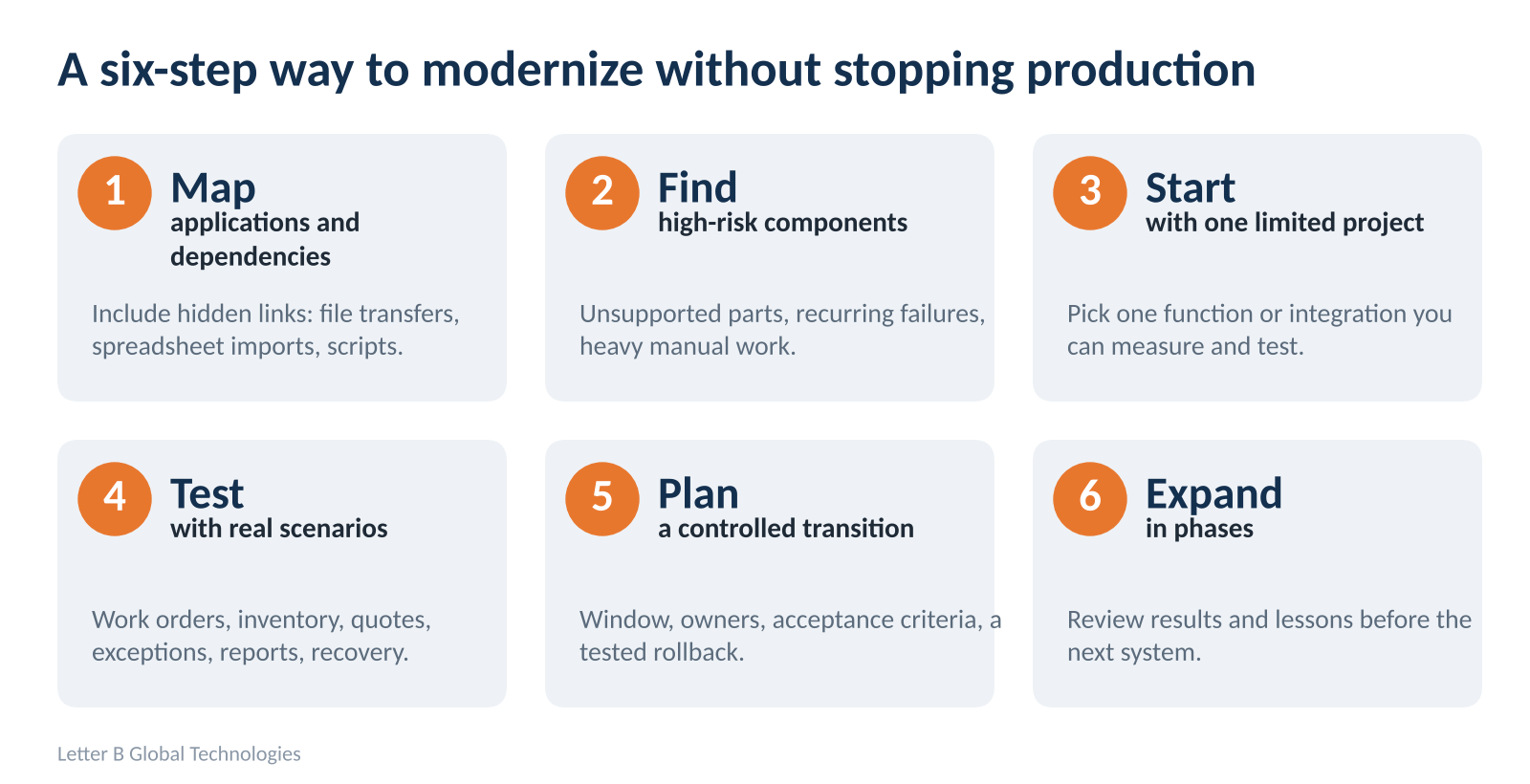
Manufacturers can't always stop operations while a business-critical application changes. A phased approach limits the scope of each change, surfaces problems earlier and gives you more control over the rollout. Here is a practical six-step process.
Step 1: Map applications and dependencies
Start by identifying the applications behind your essential processes, such as ERP, production scheduling, inventory, quoting, quality management and reporting. Document how they exchange information, which databases they depend on and which teams use them. Look closely for connections that aren't obvious, like scheduled file transfers, spreadsheet imports or custom scripts. Knowing these dependencies keeps a change in one application from unexpectedly breaking another.
Step 2: Identify high-risk components and workflows
Not every application needs the same attention. Look for unsupported components, recurring failures, limited recovery options and heavy manual dependencies, then weigh each against its importance to daily operations. An unsupported application controlling production scheduling needs attention sooner than an aging dashboard used for occasional management reports. The aim is to find the risks with the greatest business impact.
Step 3: Select a limited modernization project
Avoid changing several critical systems before you know how the first improvement performs. Choose a manageable application, function or integration where results can be measured and tested. A manufacturer might begin by improving how completed production transactions reach inventory records. That gives you a chance to validate the new workflow before expanding to other systems.
Step 4: Test with real operational scenarios
Testing should reflect how employees actually use the software: processing work orders, updating inventory, approving quotes, handling exceptions and generating reports. Confirm that information stays accurate across connected applications, and cover user permissions, performance, error handling and recovery procedures. A successful demonstration is not the same as a system that is ready for production.
Step 5: Plan a controlled transition
Before changing live operations, define the transition window, responsible teams, acceptance criteria, communication process and recovery options. Where feasible, run the old and new processes in parallel or use a controlled rollout so you can compare them. Test rollback procedures instead of only documenting them. Some applications may still need planned downtime. The objective is to understand and manage that disruption, not to promise it can always be eliminated.
Step 6: Expand in phases
Once the first change is running reliably, review the results. Can employees complete their work? Does data move correctly? Does the improvement solve the original problem? Document the lessons before expanding to other applications or workflows. Modernizing progressively this way avoids introducing unnecessary change across the whole operation at once.
For more on rolling out new software without surprises, see our guide to the 5 keys to successful implementation of new software.
Which legacy applications should manufacturers modernize first?
When several applications need attention, a useful starting point is to evaluate each one against four factors:
- Business impact: How important is the application to production, revenue, customer delivery or daily operations?
- Operational risk: What happens if it becomes unavailable or produces incorrect information?
- Technical condition: Is it secure, supportable, reliable and able to integrate?
- Cost and dependencies: What investment, preparation and testing would modernization require?
Consider two applications. The first is an unsupported scheduling system that controls daily production, with limited documentation and a database that is getting harder to maintain. The second is an older reporting dashboard that still works but has an outdated interface. Both could benefit from modernization, but the scheduling system carries the greater operational risk. It may deserve priority even if updating the dashboard would be easier.
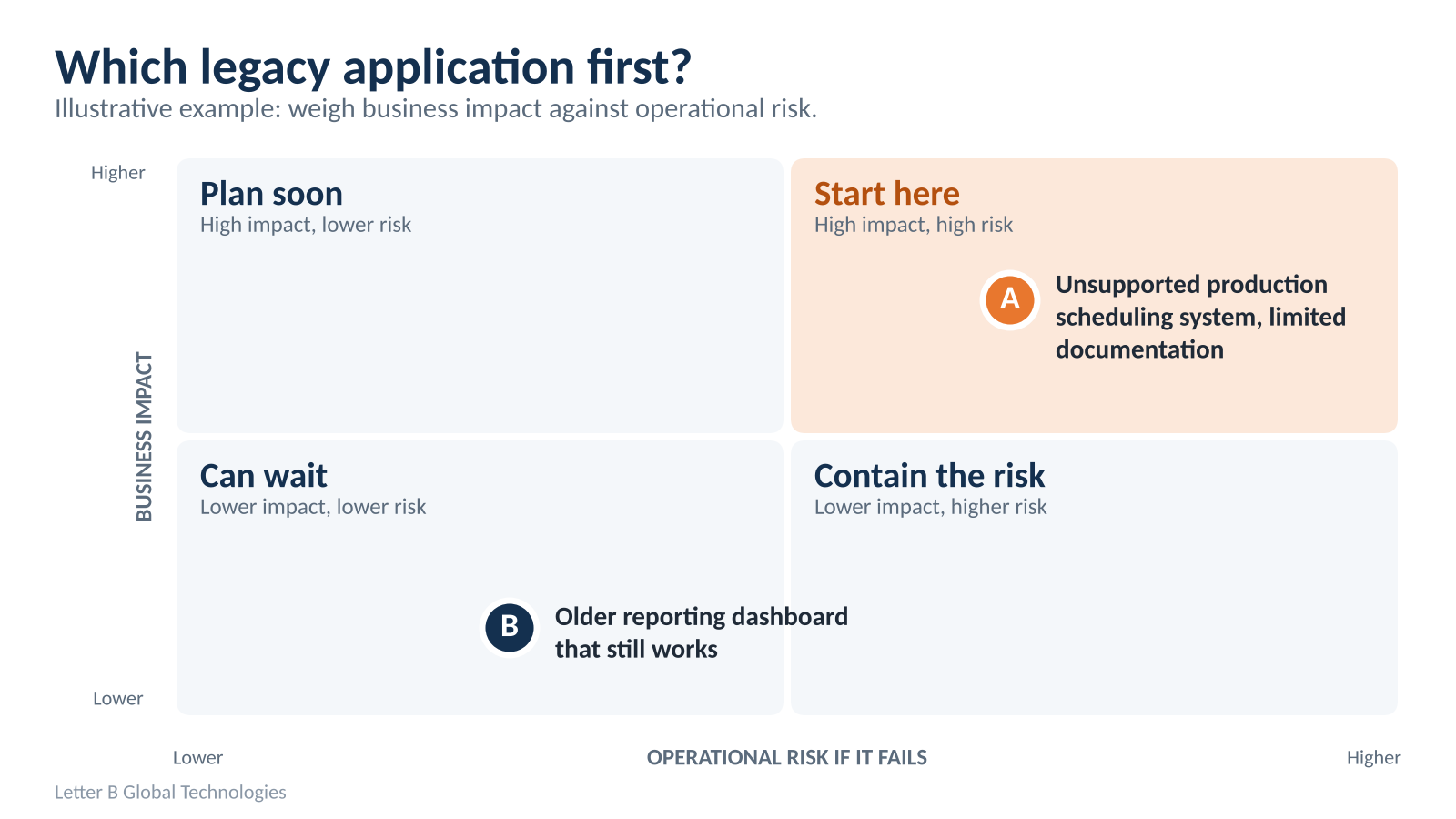
That is why legacy system modernization should start from business priorities, not a list of outdated technologies. A short application assessment can help leadership see which projects need immediate attention, which can be phased and which can reasonably wait.
How do you include legacy modernization in your 2027 technology budget?
Manufacturers preparing 2027 budgets should treat modernization as a sequence of investments, not one large replacement project. Some systems need action now because of support or operational risk. Others can be improved over several years. A practical manufacturing technology roadmap might follow this sequence:
| Planning period | Priority | Example activities |
|---|---|---|
| 2027: Connect and stabilize | Address critical risks and improve essential integrations | Stabilize unsupported applications, improve ERP connections, replace critical spreadsheet workflows |
| 2028–2029: Modernize and automate | Update selected applications and reduce manual work | Phased application modernization, workflow automation, inventory tracking |
| 2030–2031: Optimize and scale | Improve information visibility and support future growth | Operational analytics, multi-site standardization, AI use cases built on reliable data |
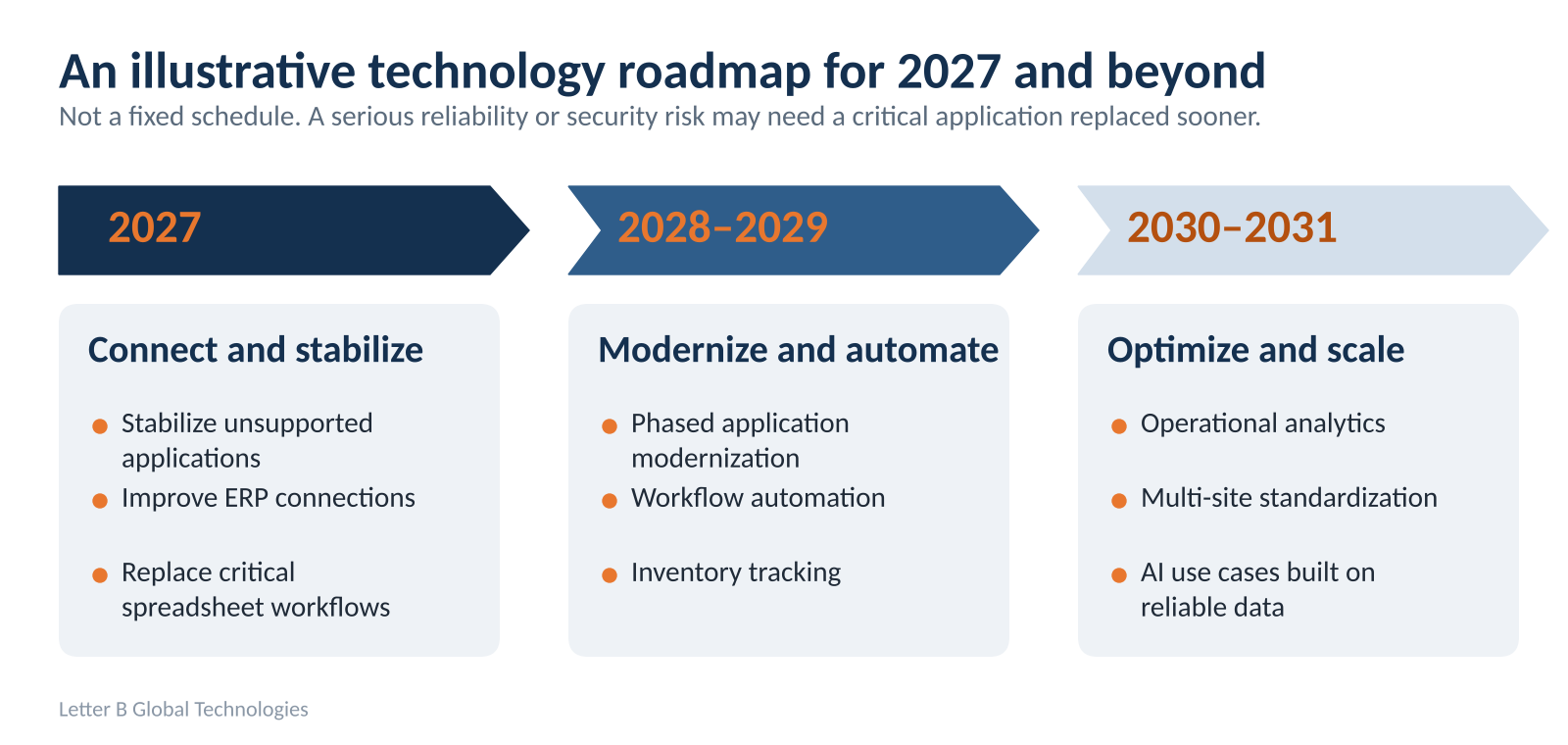
This is an illustrative roadmap, not a fixed schedule. A business with serious reliability or security concerns may need to replace a critical application sooner. The value of planning is that leadership can connect modernization priorities to budget decisions, implementation requirements and longer-term goals, and avoid buying technology one disconnected project at a time. If AI is part of the later phases, start with our AI readiness assessment guide, since AI results depend on reliable data.
What does phased modernization look like in practice?
The lesson isn't limited to factory production systems. In a Letter B project for a high-volume food distribution application, the existing on-premises environment had reached its scalability limits. The team moved it to Microsoft Azure in stages, with planning focused on keeping operations running through the transition. According to the project summary, the modernized environment supported more than 50,000 additional users, with zero operational downtime during the cutover.
Food distribution has different requirements from manufacturing production, but the lesson carries over. Business-critical systems have dependencies that must be understood before anything changes. A successful transition takes more than moving software to a newer platform. It means planning how applications, data, users and connected processes keep working throughout. For manufacturers, that reinforces the value of phased modernization backed by testing, clear ownership and recovery planning.
Build a modernization plan before your next technology investment
Legacy applications may have supported your manufacturing business for years. That doesn't mean they all need replacing. The first step is finding which systems create the greatest operational risk, which can be improved and where modernization will deliver real business value.
Letter B's Technology Planning Review helps manufacturers evaluate existing systems, integration gaps and modernization priorities, and organizes the findings into a practical 1–5 year technology roadmap to support budget planning. Before you commit your 2027 technology budget, make sure you know what needs attention first.
Build a Practical Technology Roadmap
See more on Letter B's services and manufacturing and other industry work.
Enjoyed this insight?
Explore how Letter B turns the same challenge into an operational win.
Common questions about manufacturing modernization
Yes. Manufacturers can often modernize existing applications by improving integrations, updating selected components or extending supported functionality. ERP replacement usually comes up only when the current platform can't reliably meet essential business, security or operational requirements.
Related insights
View all
Why Your Manufacturing Systems Don't Work Together and What to Fix First
See why manufacturing systems become disconnected, how ERP and shop floor data gaps affect operations, and what to fix first before investin...
Read article
What Is Smart Manufacturing? Practical Examples for Small and Mid-Sized Manufacturers
A plain-English guide to smart manufacturing: connected systems, IoT sensors, RFID tracking, predictive maintenance, and where smaller plant...
Read article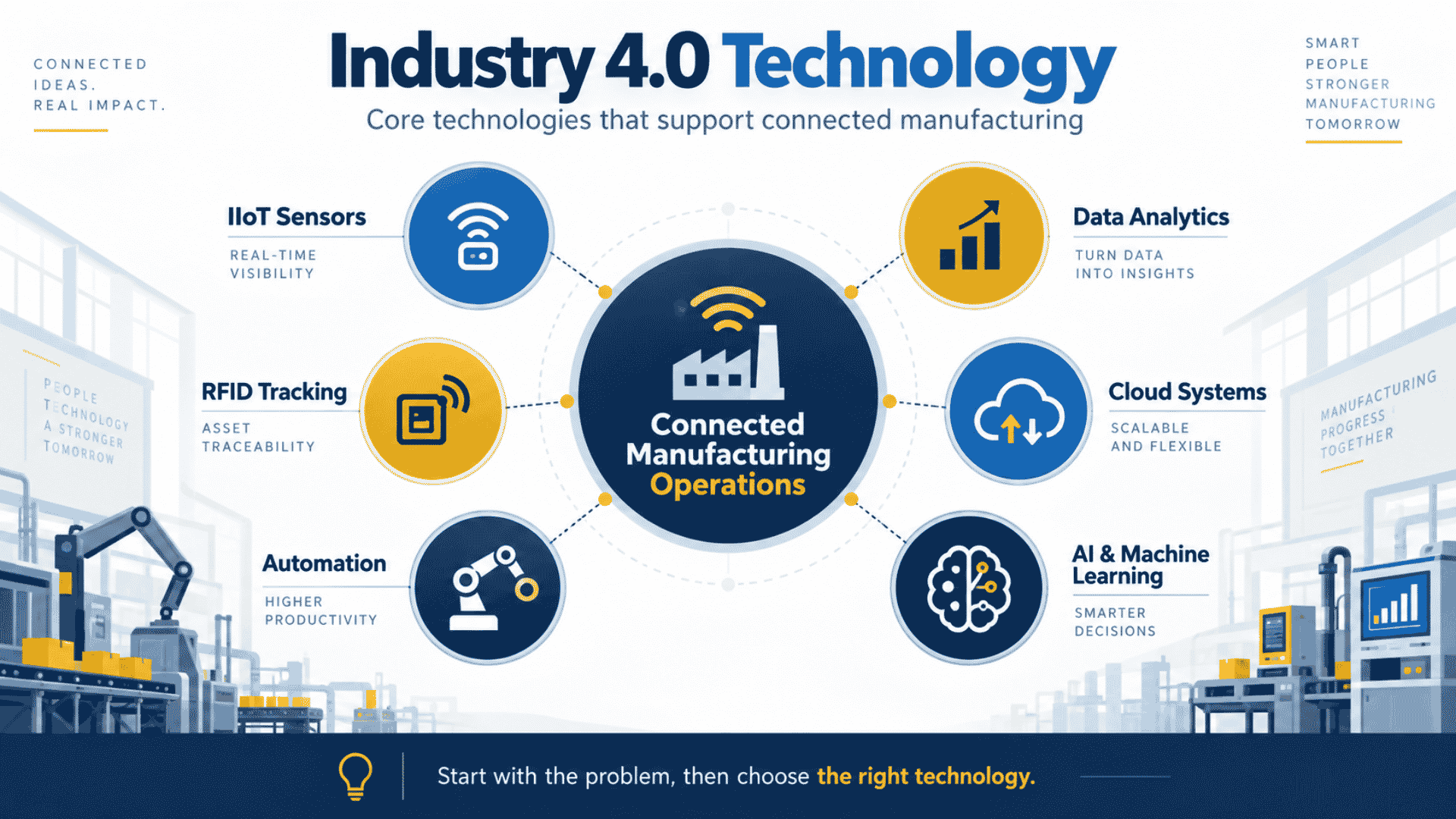
Industry 4.0 Technology: What It Means for Manufacturers in 2026
Industry 4.0 technology connects equipment, software, data, and business systems so manufacturers can improve how work moves through the ope...
Read article