
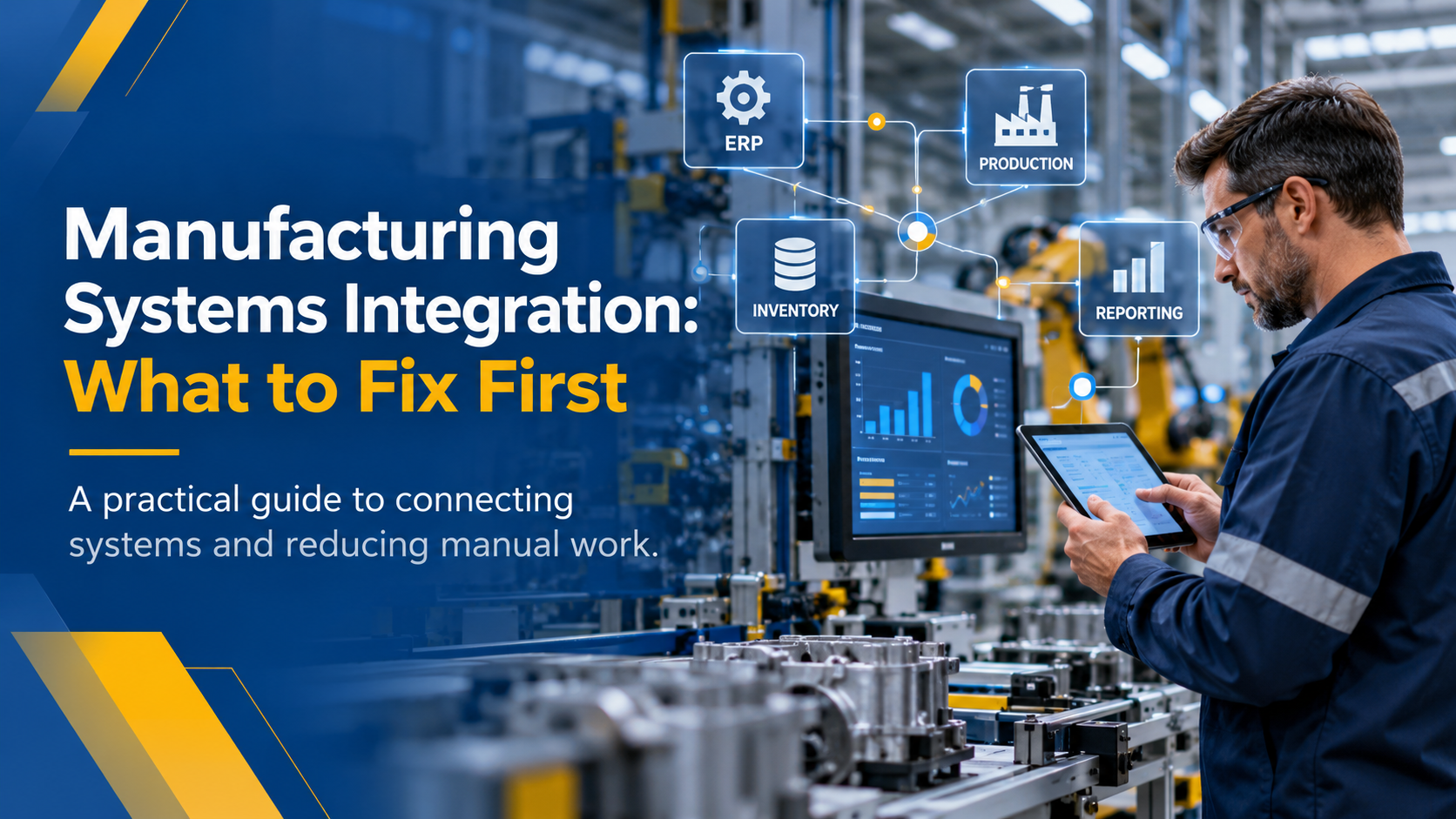
Your production team updates a work order. Inventory records the material used. Quality tracks an inspection result. But when management needs an accurate picture of the operation, someone still has to pull information from three different systems and combine it in a spreadsheet.
Sound familiar?
Many manufacturers have invested in ERP software, production tools, inventory systems, and reporting applications. Yet these systems often work independently, leaving employees to manage the gaps manually.
This is where manufacturing systems intergation becomes important.
The goal is not necessarily to replace your existing software. It is to connect the systems your business already depends on, reduce unnecessary manual work, and make operational information available when people need it.
Before approving another technology investment for 2027, it is worth understanding where those connections are breaking down.
Why Manufacturing Systems Become Disconnected
Manufacturing systems rarely become disconnected overnight.
Most companies add technology as their operations grow. An ERP system handles purchasing and financial records. Another application manages production schedules. Quality teams maintain inspection data, while inventory teams rely on separate tracking tools.
Each system solves a specific problem, but the connections between them may never have been fully addressed.
Different Departments Use Different Software
Production, finance, inventory, and quality teams have different responsibilities. As a result, they often use tools selected for their individual needs.
Problems arise when information needs to move between departments but the applications do not communicate automatically.
For example, production may complete a job while inventory continues showing materials that have already been consumed.
Legacy Applications Have Integration Limitations
Older applications may still perform important business functions. However, some were built before modern integration methods became common.
They may depend on outdated databases, proprietary formats, manual exports, or interfaces that are difficult to maintain.
Replacing these systems is not always practical. In many cases, the better starting point is assessing whether they can be connected or extended safely.
Manual Workflows Fill the Gaps
When systems cannot exchange information, employees create workarounds.
They export reports, copy information between applications, maintain shared spreadsheets, or send updates by email.
These processes may keep operations moving, but they also create additional work and opportunities for errors.
Five Signs Your Manufacturing Systems Are Not Working Together
Disconnected systems do not always cause an obvious failure. More often, they create smaller problems that become part of daily operations.
Here are five signs worth reviewing.
1. Employees Enter the Same Information More Than Once
A work order is entered into ERP, then entered again into a production tracking application.
Once production is complete, someone updates another system to record the finished quantity.
Every additional entry takes time and creates another opportunity for inconsistent records.
2. Inventory Numbers Do Not Match
The ERP shows one inventory balance, but the warehouse or production team reports something different.
This can happen when material movements, production consumption, or finished-goods updates are not synchronized.
Employees then spend time reconciling records before making purchasing or scheduling decisions.
3. Spreadsheets Have Become Critical Business Systems
Spreadsheets are useful for analysis and temporary tracking.
Problems begin when they become the primary tools for quoting, production scheduling, inventory management, or approval workflows.
If a critical spreadsheet is maintained by only one employee, the business may also face continuity and knowledge-transfer risks.
4. Shop Floor Information Reaches Management Too Late
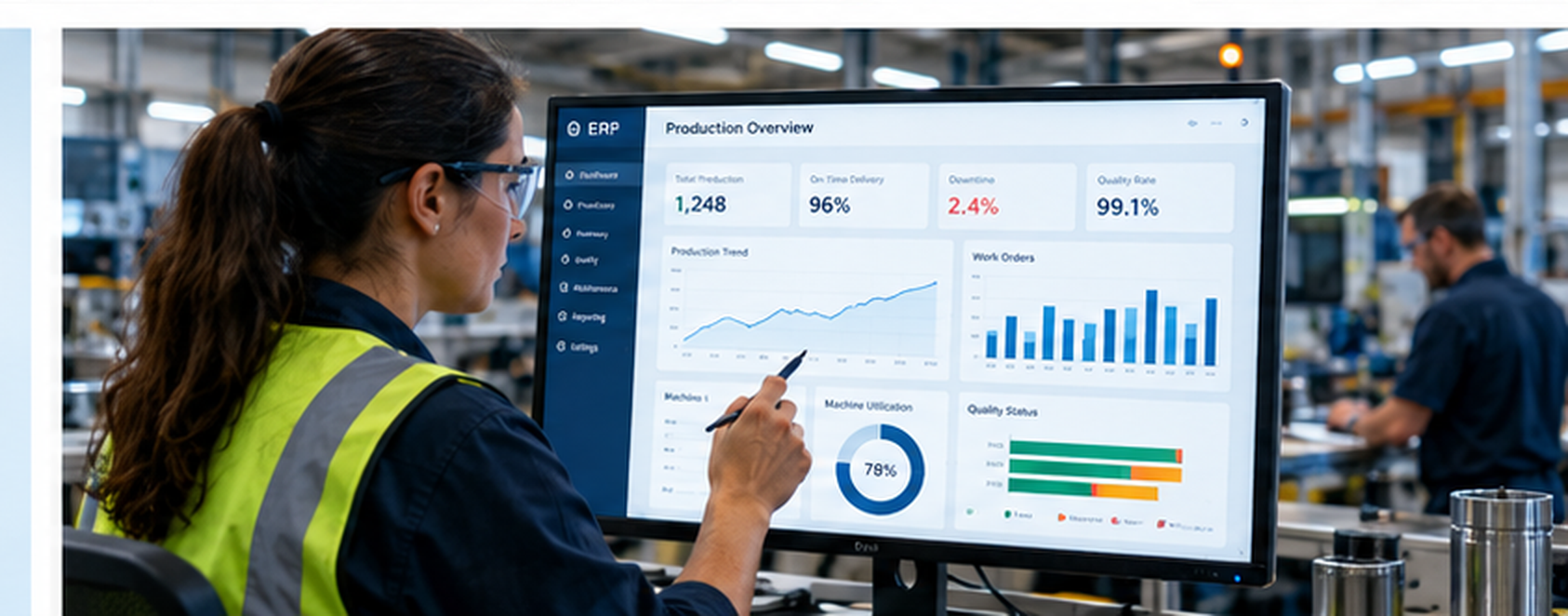
Production teams may already capture downtime, scrap, work order status, and quality information.
But if that information stays inside separate applications or paper records, managers may not see problems until the next shift, daily report, or weekly meeting.
By then, opportunities to respond earlier may have passed.
5. Reporting Requires Information From Multiple Sources
A manager wants to compare planned production against actual output.
Instead of opening one report, the team exports information from ERP, production tracking, inventory, and quality systems.
The report may be useful, but preparing it takes time. Different departments may also arrive at different results because they use different data versions or definitions.
When these issues occur regularly, it may be time to review how information moves across the operation.
What Disconnected Systems Cost Manufacturing Operations

The cost of disconnected systems goes beyond additional administrative work.
Consider a production manager planning the next day's schedule.
If inventory records are outdated, the manager may believe materials are available when they are not. The team might start preparing a job, only to discover a shortage.
Production then has to adjust the schedule, purchasing must investigate, and customer commitments may need to be reviewed.
The immediate problem appears to be an inventory discrepancy. The underlying issue may be that material transactions are not reaching the planning system at the right time.
Similar problems can affect several areas:
- Productivity: Employees spend time entering, checking, and correcting information instead of completing higher-value work.
- Production planning: Delayed information can lead to scheduling conflicts and unnecessary adjustments.
- Inventory management: Inconsistent records make purchasing and material planning more difficult.
- Quality management: Disconnected inspection and production records can slow investigations and corrective action.
- Business decisions: Leadership may rely on reports that are already outdated when they are presented.
Not every disconnected system needs an immediate replacement or integration project. The important question is which gaps have the greatest effect on operational performance.
Manufacturing Systems Integration: What Should You Fix First?
Trying to connect every application at once can create unnecessary cost, complexity, and operational risk.
A better approach is to understand where information breaks down and prioritize the improvements that matter most.
Start With the Most Costly Workflow
Begin with the processes creating the greatest operational challenges.
Look for workflows where employees frequently re-enter information, correct errors, wait for updates, or reconcile inconsistent records.
For example, a manufacturer may have separate problems with inventory updates, quality reporting, and sales dashboards.
If inaccurate inventory information regularly delays production, connecting inventory transactions to ERP may deserve attention before investing in another reporting tool.
The priority should reflect business impact rather than which department requests a new application first.
Map How Information Moves Between Systems
Before changing software, document how information currently travels through the operation.
Identify where data originates, which applications use it, who updates it, and where manual handoffs occur.
For a typical manufacturing operation, this could involve:
Customer order → ERP → Production scheduling → Shop floor → Quality inspection → Inventory update → Reporting
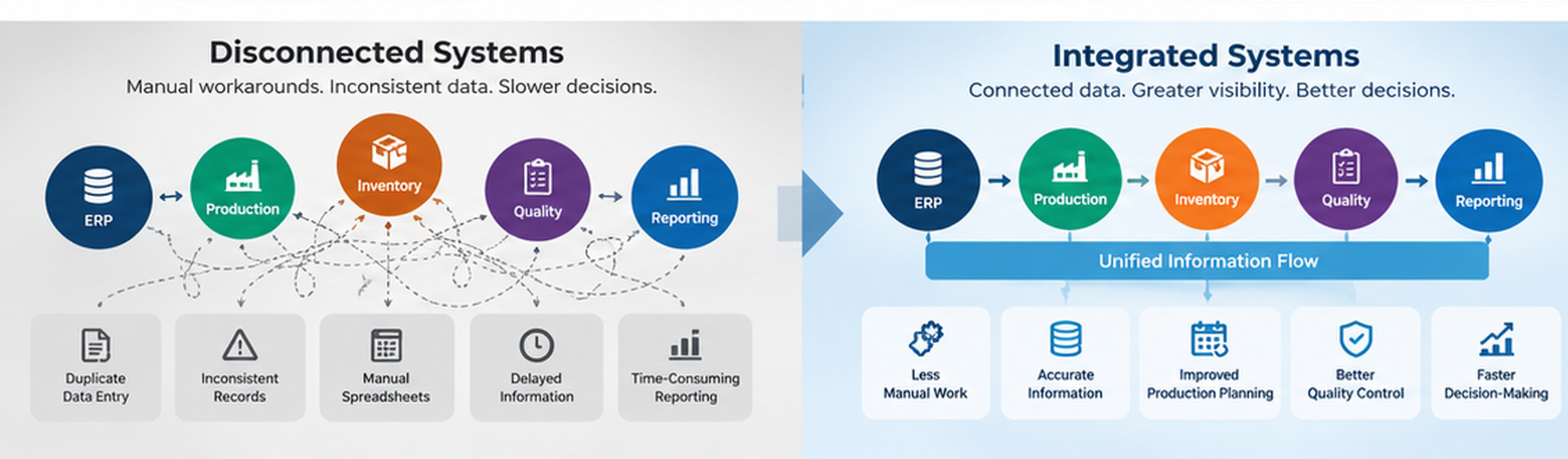
At each stage, ask whether information moves automatically, requires manual entry, or gets delayed.
This process is commonly called systems or data-flow mapping.
The ISA-95 standards series describes interfaces between enterprise business systems and manufacturing operations. For background, see the ISA-95 overview. This reference is for context, not a claim of ISA-95 certification or compliance.
Prioritize Integration Before Replacement
A disconnected system is not necessarily a system that needs replacing.
If an existing ERP application still supports purchasing, finance, and order management, it may make sense to extend its capabilities through supported interfaces or APIs.
Other situations may require middleware, data synchronization, or a custom application that connects existing workflows.
However, integration is not always the right solution.
A system with serious security limitations, unreliable data, unsupported components, or excessive maintenance requirements may need modernization or replacement.
The decision should follow an assessment of the system's business value, technical condition, integration capabilities, and risks.
Plan Changes Around Production Requirements
Manufacturing operations cannot always accommodate lengthy system outages.
Integration projects need to account for production schedules, testing requirements, dependencies, and the possibility of unexpected failures.
A phased approach may involve connecting one workflow, validating results, training users, and then expanding the solution.
The following table provides a practical starting point.
| Operational problem | Potential improvement | Potential business benefit |
|---|---|---|
| Duplicate production updates | Connect shop floor and ERP records | Less manual entry |
| Inconsistent inventory records | Synchronize inventory transactions | More reliable stock visibility |
| Spreadsheet-based quoting | Centralize quoting and approvals | More consistent quoting |
| Delayed quality information | Connect inspection and production records | Earlier visibility into quality issues |
| Time-consuming reporting | Consolidate operational data | Faster, more consistent reporting |
The right sequence depends on the operation. A manufacturer experiencing inventory shortages may have different priorities than one struggling with quoting delays or unsupported production software.
How to Plan Manufacturing Integration Projects for 2027
As manufacturers prepare their 2027 technology budgets, it is useful to look beyond individual software requests.
Instead of starting with a list of products to purchase, start with the operational problems that need attention.
Consider four questions:
- 1Which disconnected workflows are costing the most time or creating the greatest risk?
- 2Which existing systems could be connected or improved without full replacement?
- 3Which modernization projects depend on earlier integration work?
- 4What technology improvements will the business need over the next three to five years?
These questions help separate immediate needs from longer-term investments.
For example, a manufacturer might prioritize ERP and inventory integration in 2027, replace an aging production application over the next two years, and introduce more advanced operational analytics after its data becomes reliable.
The sequence matters.
Investing in dashboards, automation, or AI before resolving critical data inconsistencies can leave the business with new tools that still depend on unreliable information.
A practical manufacturing technology roadmap helps leadership understand what should happen first, what can wait, and how each investment supports the next.
A Manufacturing Integration Example: Replacing Disconnected Quoting Spreadsheets
Consider a national waste container manufacturer that relied on 15 separate spreadsheets to manage product quoting.
The spreadsheets supported complex product configurations, but maintaining multiple files made the quoting process harder to manage consistently.
Letter B developed a connected cloud application that brought those quoting workflows into one system.
The solution supported more than 100 product configuration options, incorporated pricing controls and approval workflows, and generated structured bills of materials for downstream production.
It also provided quote traceability.
The project demonstrates an important point: manufacturers do not always need to replace their entire technology environment to improve operations.
Related project: Letter B manufacturing quote management case study
Sometimes, modernizing one critical workflow and connecting it with the information used downstream can address a meaningful business problem.
For manufacturers planning future technology investments, these targeted opportunities are often worth evaluating before undertaking larger replacement projects.
Make Manufacturing Systems Integration Part of Your 2027 Technology Plan
Disconnected systems may not stop production entirely, but they can create unnecessary work, delay decisions, and make operations harder to manage.
The first step is understanding which connections are missing and which improvements would make the greatest difference.
Letter B's Technology Planning Review helps manufacturers evaluate their ERP, shop floor, inventory, quality, and reporting systems. The review identifies integration gaps, operational risks, and opportunities for improvement, then organizes the findings into a prioritized 1–5 year technology roadmap.
Before committing your 2027 technology budget, make sure the right projects are on your priority list.
Frequently Asked Questions About Manufacturing Systems Integration
1. What is manufacturing systems integration?
Manufacturing systems integration is the process of connecting business and production applications so information can move between them reliably. It typically involves ERP, inventory, production tracking, quality management, and reporting systems. The goal is to reduce manual data entry, improve information accuracy, and help teams work with consistent operational data without switching between disconnected applications.
2. How can manufacturers integrate ERP systems with shop floor operations?
Manufacturers can connect ERP systems with shop floor applications using supported APIs, middleware, or other data integration methods. The right approach depends on existing software capabilities and how information moves through production. Start by identifying which work orders, material transactions, production updates, and quality records need to be shared. Then prioritize the connections that address the most costly operational gaps.
3. Do manufacturers need to replace their ERP system to improve integration?
No. Manufacturing ERP integration often involves connecting or extending existing systems rather than replacing them. If an ERP platform still supports core business processes, APIs, integration tools, or custom software may help connect it with production and inventory applications. Replacement becomes a consideration when the system has serious limitations involving security, support, reliability, or business requirements.
4. What are the biggest challenges in manufacturing systems integration?
Common manufacturing systems integration challenges include outdated software, inconsistent data, limited integration capabilities, and manual processes between departments. Companies may also struggle with unclear data ownership and dependencies between applications. These challenges can lead to duplicate entries, inventory discrepancies, delayed reporting, and difficulty getting reliable production information when decisions need to be made.
5. How much does manufacturing systems integration cost?
Manufacturing systems integration costs depend on the number of applications involved, their technical condition, the complexity of data exchange, and the testing required. Connecting two systems with supported APIs may involve less effort than integrating multiple legacy applications. Manufacturers should assess expected operational benefits, implementation risks, ongoing maintenance, and potential disruption before setting a project budget.
6. How long does it take to integrate manufacturing systems?
The timeline depends on system complexity, data quality, integration requirements, and production constraints. A limited connection between two supported applications may be completed faster than a project involving several legacy systems and custom workflows. A phased approach allows manufacturers to test one integration, confirm that data moves correctly, and expand without making unnecessary changes across the entire operation at once.
7. Which manufacturing systems should be integrated first?
Manufacturers should first consider systems involved in workflows where disconnected information causes the greatest operational impact. For example, if outdated inventory records regularly delay production, connecting ERP and inventory transactions may take priority over a reporting upgrade. Evaluate each opportunity based on business impact, implementation effort, cost, risk, and dependencies rather than trying to integrate everything simultaneously.
8. How should manufacturers prioritize systems integration in their 2027 technology budget?
Start by reviewing existing ERP, production, inventory, quality, and reporting workflows. Identify where disconnected systems create delays, manual work, or operational risks. Prioritize projects based on their business impact, cost, technical dependencies, and implementation requirements. A phased manufacturing technology roadmap can help leadership decide what to address in 2027 and which improvements to schedule over the following three to five years.
Enjoyed this insight?
Explore how Letter B turns the same challenge into an operational win.
Related insights
View all
What Is Smart Manufacturing? Practical Examples for Small and Mid-Sized Manufacturers
A plain-English guide to smart manufacturing: connected systems, IoT sensors, RFID tracking, predictive maintenance, and where smaller plant...
Read article
Industry 4.0 Technology: What It Means for Manufacturers in 2026
Industry 4.0 technology connects equipment, software, data, and business systems so manufacturers can improve how work moves through the ope...
Read article
Where Modern Manufacturing Technology Replaces Legacy Systems in Manufacturing in 2026
Modern manufacturing technology does not require replacing everything at once. Many improvements focus on the areas where inefficiencies hav...
Read article